
Cúllar Vega teaches how to use AI to create posters in December
Topics Cúllar Vega
El Punto Vuela de Cúllar Vega offers a free artificial intelligence workshop in December for businesses, companies and associations in the municipality.
GranadaYa newsroom ·
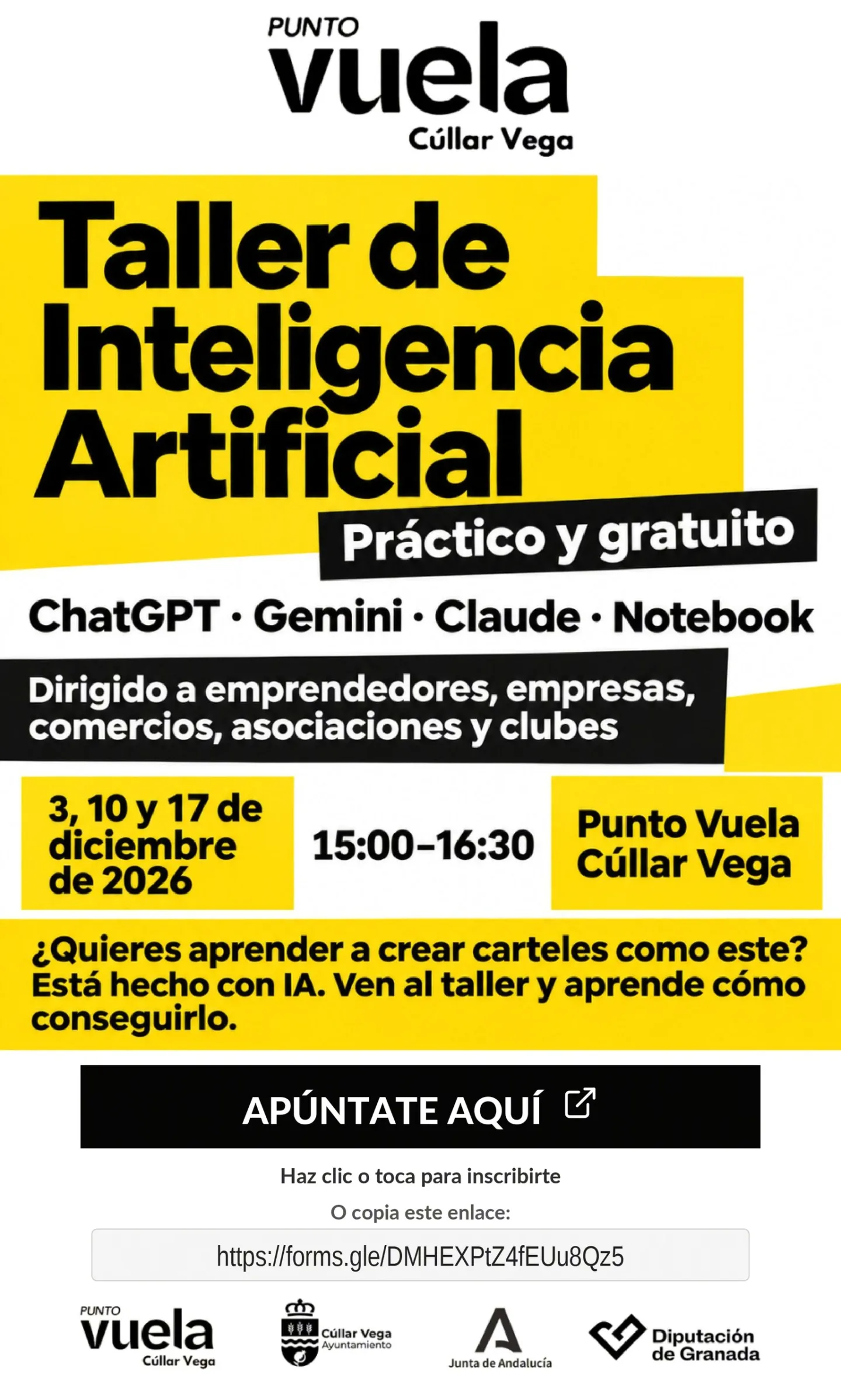
Businesses, companies, associations and clubs in Cúllar Vega have a date in December to learn how to use artificial intelligence in their day-to-day work. The town's Punto Vuela has organised a free practical workshop in which attendees will see how to use tools such as ChatGPT, Gemini, Claude and Notebook. Among the uses that will be taught is the design and creation of promotional posters with artificial intelligence.
The course is divided into three sessions, on December 3, 10 and 17, 2026, from 15:00 to 16:30. The classes are taught at the Punto Vuela facilities in Cúllar Vega and the schedule has been set with the aim of making it easier for businesses to open.
The training is given by Sofia Minaya, a graphic designer with specialised training in development with artificial intelligence and programming with agents. Her CV also includes a web programming bootcamp and training in Figma for the design of user interfaces and digital products.
Registration open and free of charge
Participation is free and registration is done through an online form. You must sign up using the registration form. The workshop is aimed above all at those who want to incorporate digital tools into their daily work, according to the Ayuntamiento de Cúllar Vega.
In What's On: Taller práctico de inteligencia artificial en el Punto Vuela de Cúllar Vega · from 3 de December to 17 de December
Breaking news from News, on your phone
An alert only when something can't wait. Free, no account needed.
On iPhone, alerts only arrive if you first add GranadaYa to your Home Screen. How to do it, step by step
This browser can't receive alerts. Try another one, such as Chrome or Safari.
You've blocked alerts from GranadaYa in this browser. You can turn them back on in its settings. How to do it, step by step
Only what can't wait. Change or remove it in my alerts
Shall we let you know what matters?
Phone alerts
On iPhone, alerts only arrive if you first add GranadaYa to your Home Screen. How to do it, step by step
This browser can't receive alerts. Try another one, such as Chrome or Safari.
You've blocked alerts from GranadaYa in this browser. You can turn them back on in its settings. How to do it, step by step