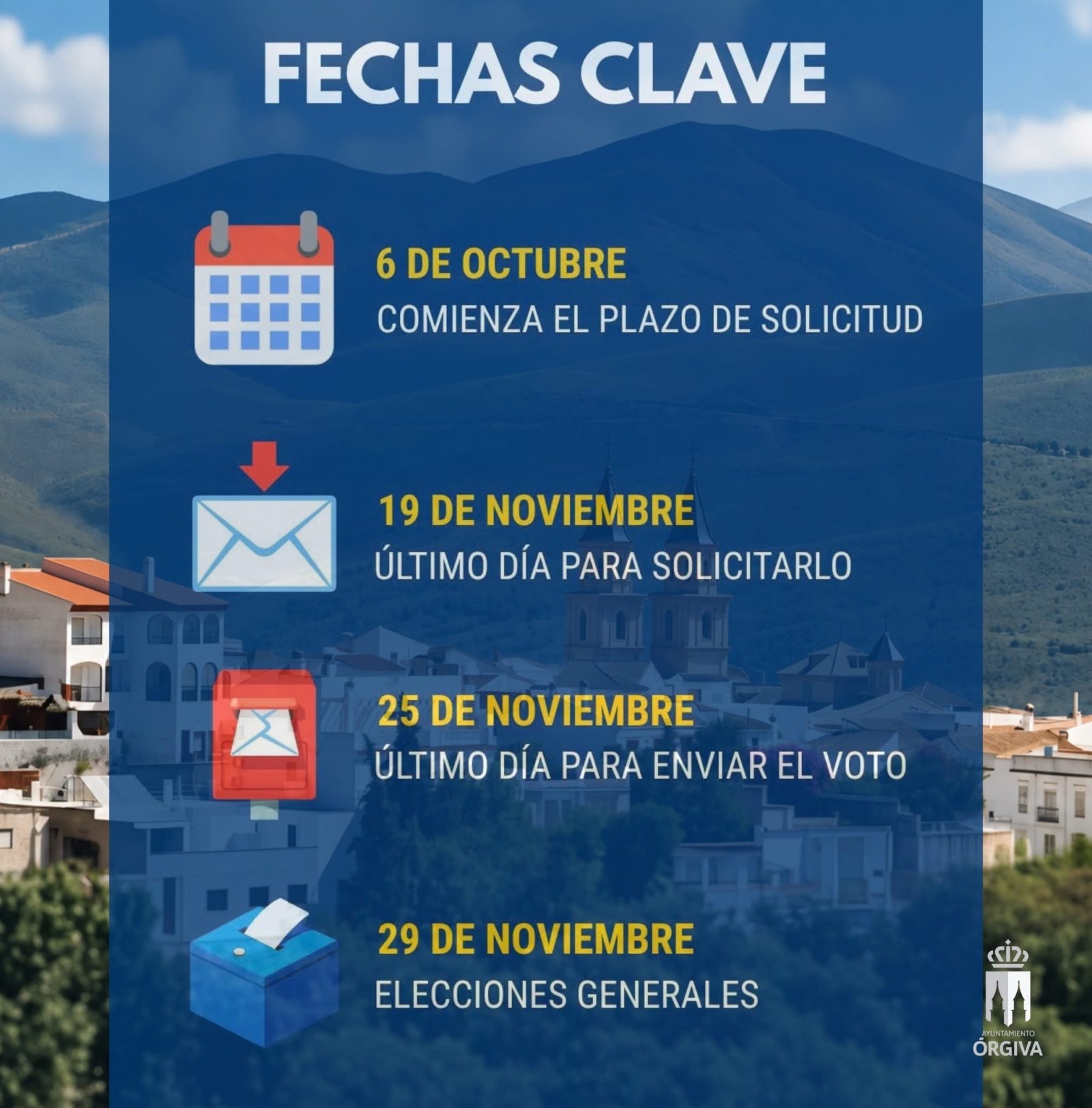
Órgiva opens the application for postal voting for the general elections of November 29
Topics Órgiva
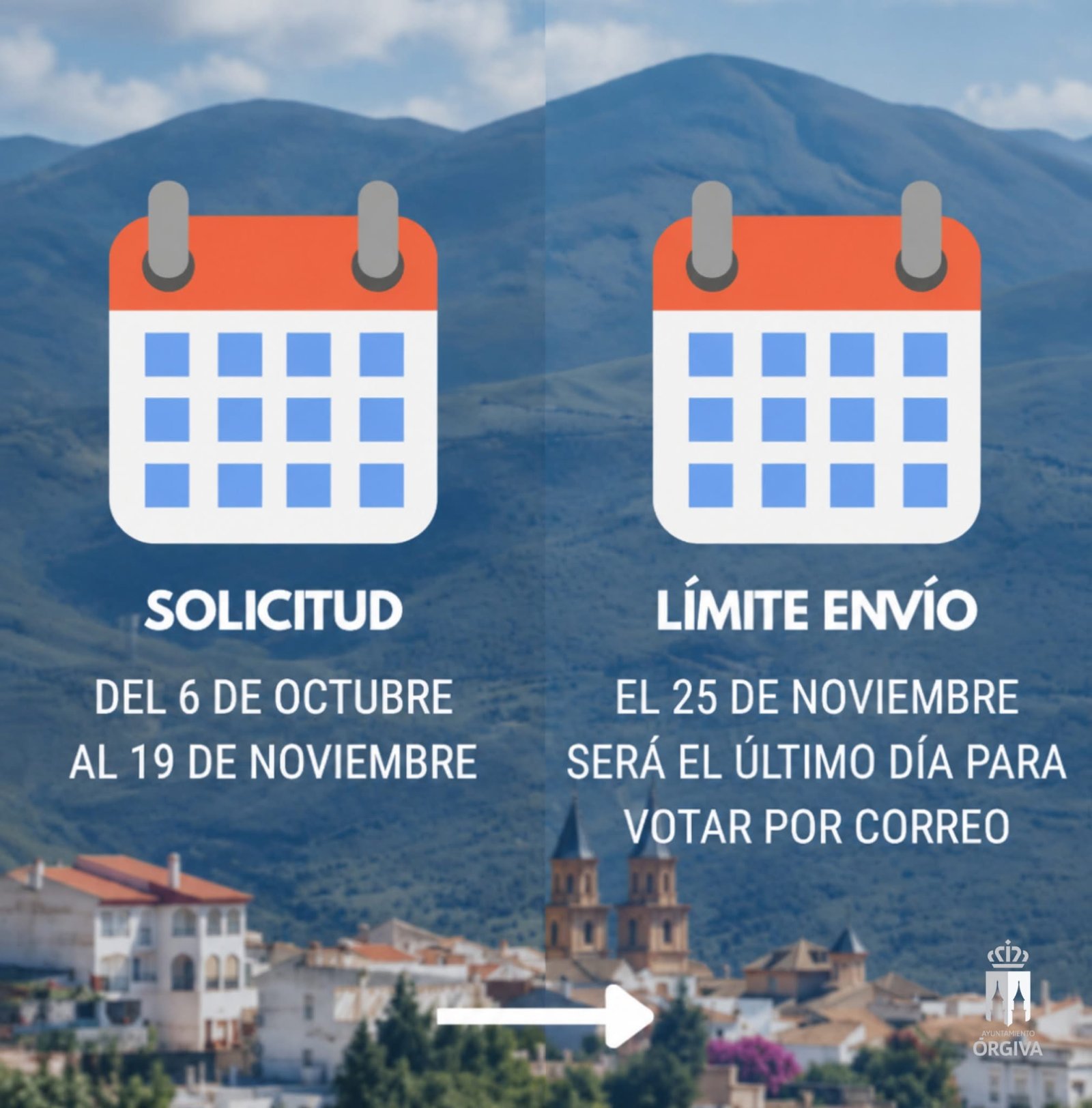
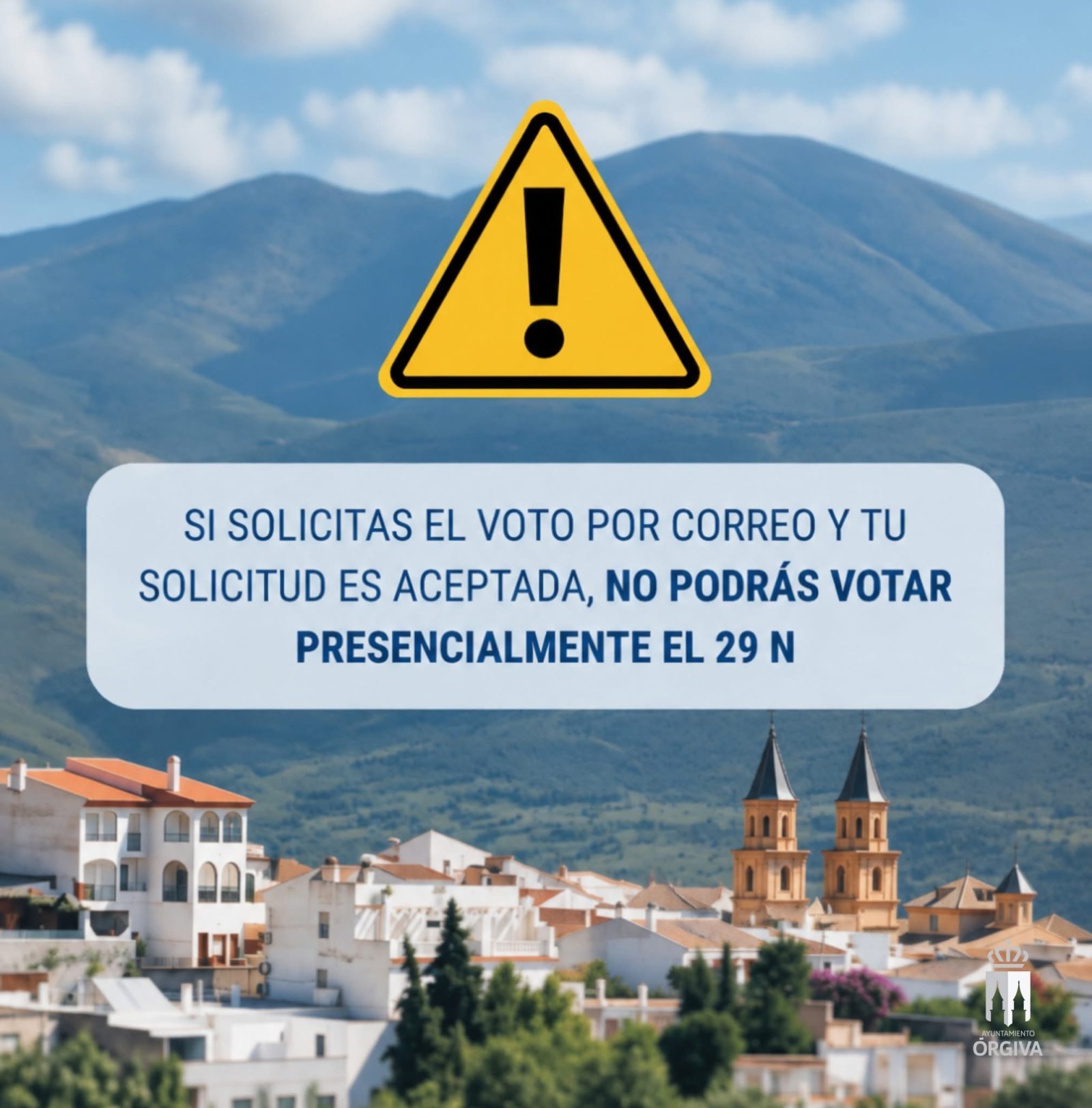
Those who cannot attend in person to vote on November 29 can now request postal voting, at a Correos office or online with electronic identification, according to the Órgiva City Council.
GranadaYa newsroom ·

Those who will not be able to go in person to the polls on Sunday, November 29 can now request a postal vote. This is what the Órgiva City Council has indicated, reminding that the request is open for these general elections.
Two ways to request it
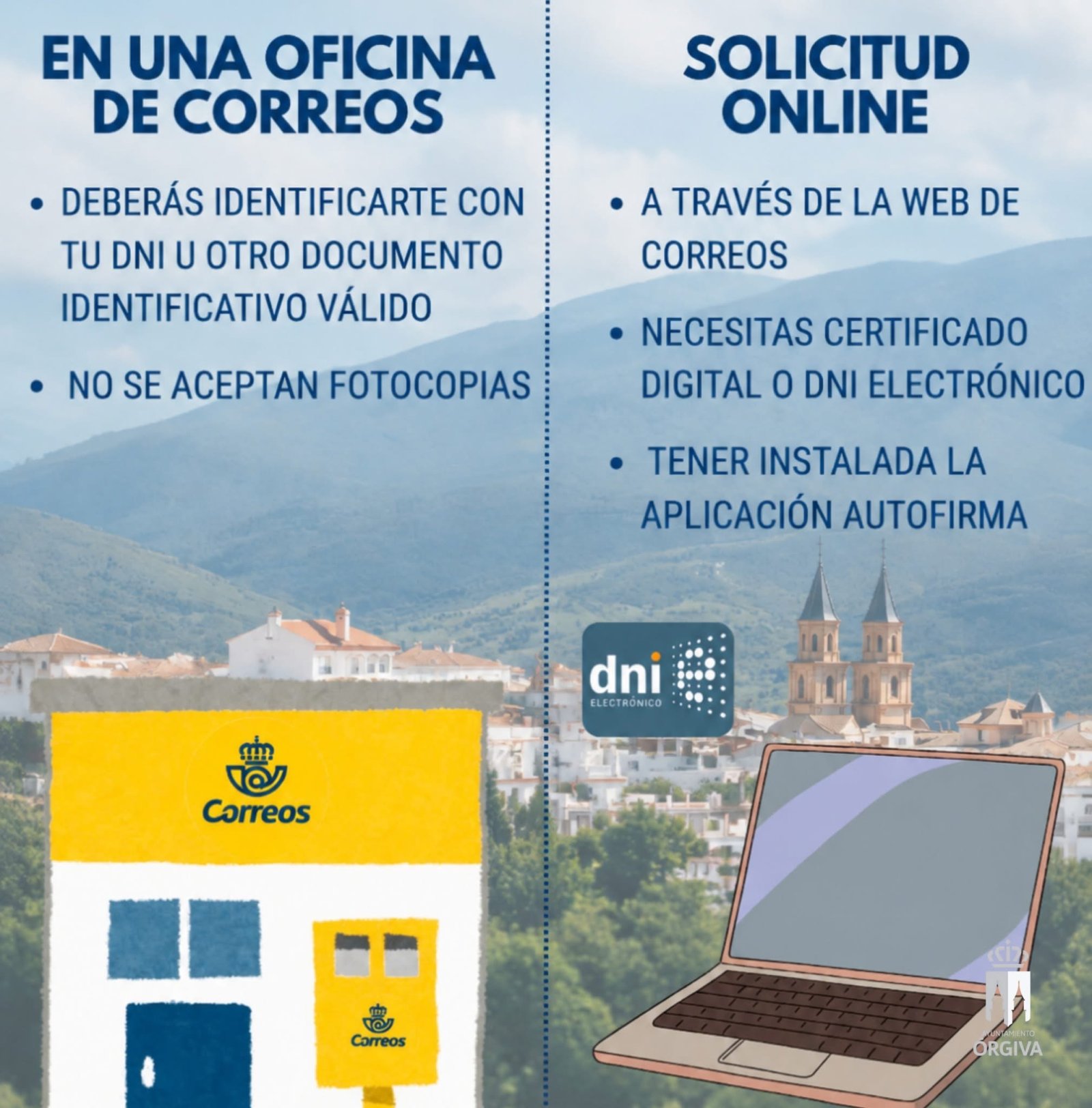
The procedure can be done in two ways. The first is in person, at any Correos office, identifying yourself personally. The second is online, through the Correos website, with a valid electronic identification system.
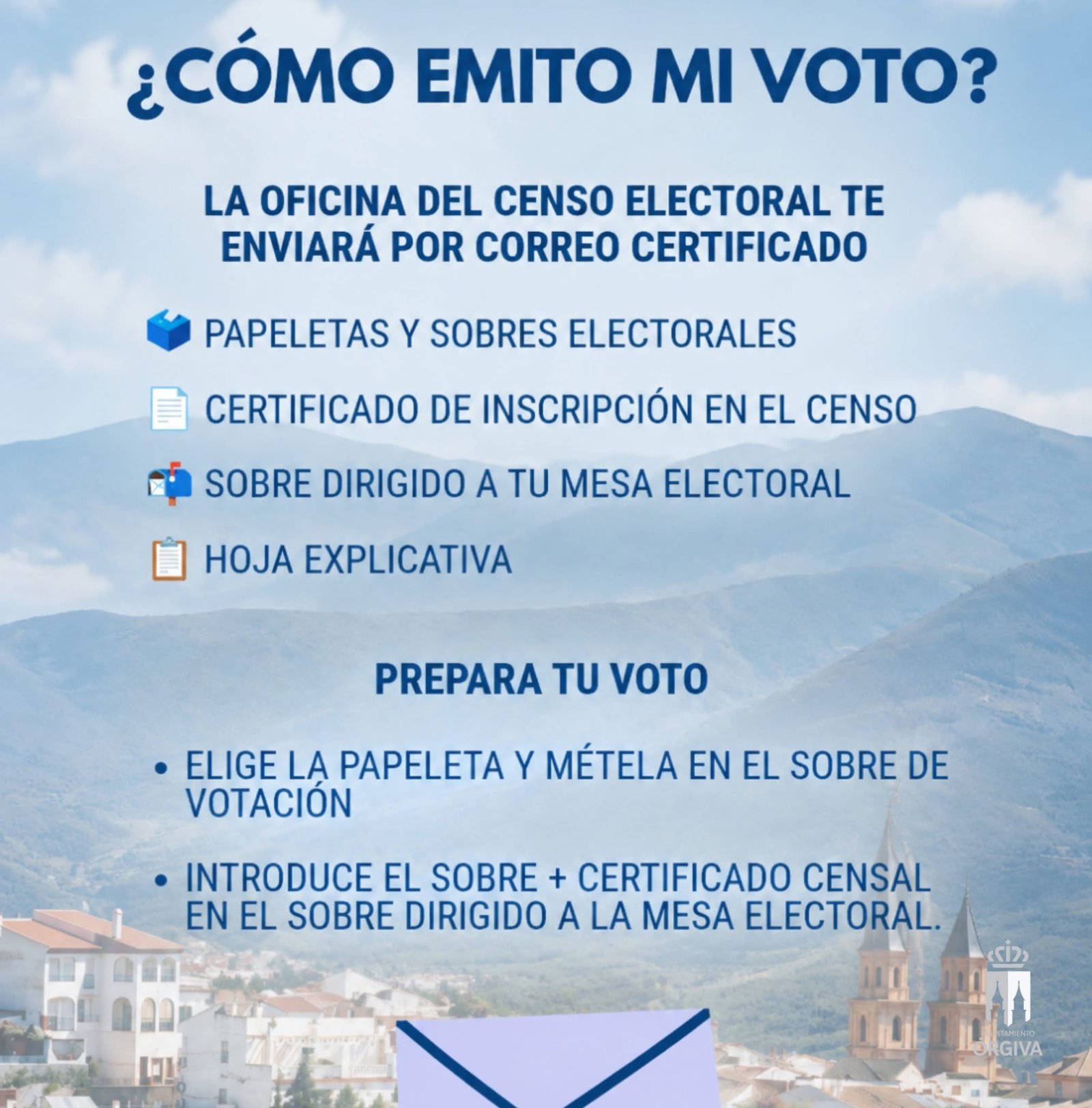
Once the request has been submitted, the electoral census office sends the voter all the necessary documentation: the ballots, the envelopes and the information about the different candidacies.
What to do when the documentation arrives
Upon receiving it, you must choose the corresponding ballot, put it in its voting envelope and place this, together with the required documentation, in the envelope addressed to the electoral board.
Afterwards, that envelope must be taken to Correos and sent by certified mail to the electoral board corresponding to the voter.
Context
The Órgiva City Council already reported on October 7, 2026 other electoral procedures: the deadline for foreign persons residing in the municipality to state their willingness to vote in the municipal elections of May 23, 2027. In that case, European Union citizens have until December 30, 2026, and nationals of countries with a reciprocity agreement, from December 1, 2026 to January 15, 2027.
To request a postal vote
The request can be made now, in person at any Correos office with personal identification, or online on the Correos website with a valid electronic identification system. Afterwards, the envelope with the ballot must be sent by certified mail to the corresponding electoral board.
Breaking news from News, on your phone
An alert only when something can't wait. Free, no account needed.
On iPhone, alerts only arrive if you first add GranadaYa to your Home Screen. How to do it, step by step
This browser can't receive alerts. Try another one, such as Chrome or Safari.
You've blocked alerts from GranadaYa in this browser. You can turn them back on in its settings. How to do it, step by step
Only what can't wait. Change or remove it in my alerts
Shall we let you know what matters?
Phone alerts
On iPhone, alerts only arrive if you first add GranadaYa to your Home Screen. How to do it, step by step
This browser can't receive alerts. Try another one, such as Chrome or Safari.
You've blocked alerts from GranadaYa in this browser. You can turn them back on in its settings. How to do it, step by step