
An ERACIS+ workshop in Baza teaches how to use a mobile phone to look for work
The ERACIS+ team of the Baza City Council has held the workshop "Café para compartir y aprender a utilizar tu móvil", aimed at participants of the programme to improve their digital skills and make it easier to look for work.
GranadaYa newsroom ·
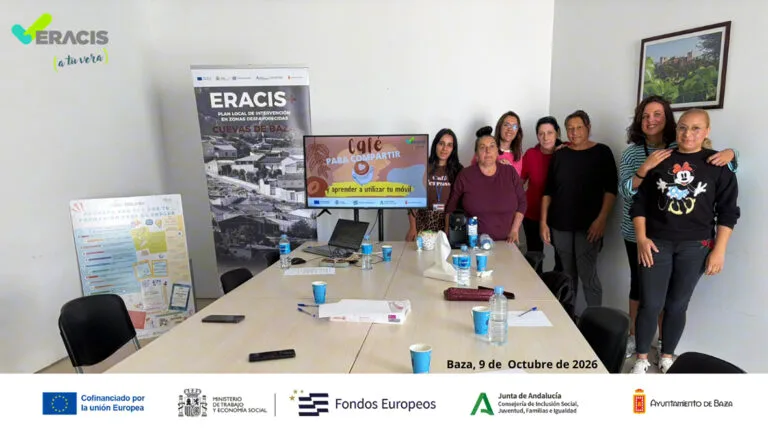
The ERACIS+ team of the Baza City Council has held the workshop "Café para compartir y aprender a utilizar tu móvil", an activity aimed at the participants of the programme with which it seeks to strengthen their digital skills and facilitate the use of the mobile phone as a tool for job searching.
What has been worked on
The workshop has been developed with a practical, visual methodology adapted to the needs of the participants. Throughout the session, different tools and functionalities of the mobile phone related to document management, the use of email and the search for job offers on the Internet have been addressed.
Specifically, the participants have learned to download documents, locate them and send them by WhatsApp and by email, as well as to send applications to job offers including their curriculum vitae.
InfoJobs, among the contents
The activity has also included an approach to the InfoJobs platform, with guidance to become familiar with its operation, modify data, search for offers according to the position and the locality, interpret the basic information of the vacancies and locate the option to register for them.
As ERACIS+ explains, learning these everyday tools allows strengthening confidence in the use of technology. The programme thus continues working to reduce the digital divide and promote skills that improve the opportunities for social and labour inclusion of the participants.
The ERACIS+ team is co-financed by the Fondo Social Europeo Plus and the Consejería de Inclusión Social, Juventud, Familias e Igualdad de la Junta de Andalucía.
Breaking news from News, on your phone
An alert only when something can't wait. Free, no account needed.
On iPhone, alerts only arrive if you first add GranadaYa to your Home Screen. How to do it, step by step
This browser can't receive alerts. Try another one, such as Chrome or Safari.
You've blocked alerts from GranadaYa in this browser. You can turn them back on in its settings. How to do it, step by step
Only what can't wait. Change or remove it in my alerts
Shall we let you know what matters?
Phone alerts
On iPhone, alerts only arrive if you first add GranadaYa to your Home Screen. How to do it, step by step
This browser can't receive alerts. Try another one, such as Chrome or Safari.
You've blocked alerts from GranadaYa in this browser. You can turn them back on in its settings. How to do it, step by step